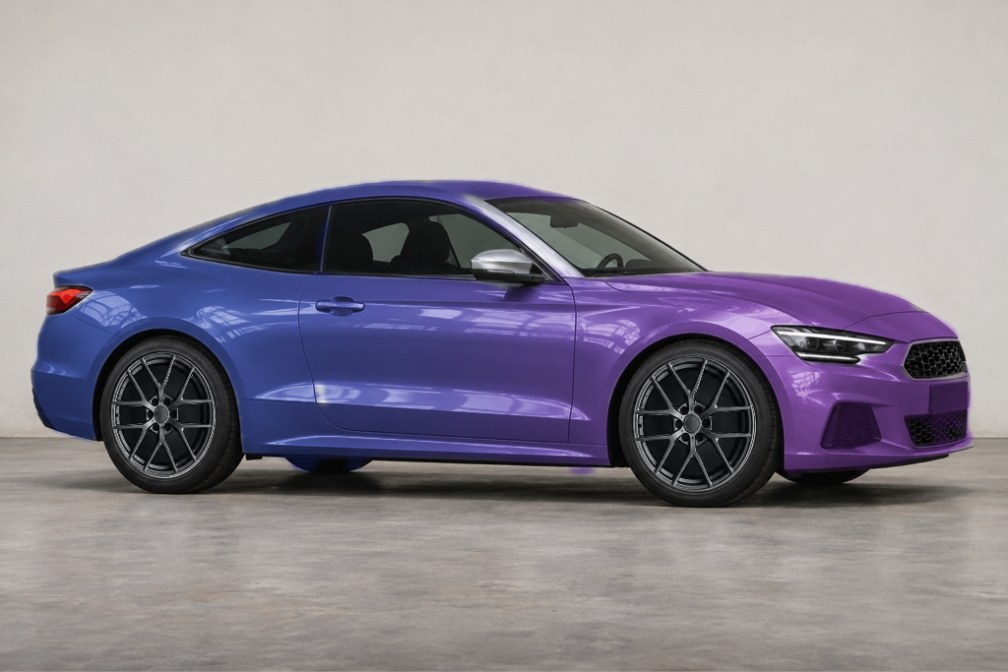
Choose both ends
Begin with a main color, then choose the other end. Related hues make subtle differences easier to compare.
For contrasting colors, inspect the middle of the blend across doors and fenders as well as either end.
Follow the body lines
Keep your colors fixed while comparing directions, such as front to rear or top to bottom.
Check the hood and rear panels after changing direction. A pleasing detail can still feel unbalanced overall.
Keep comparisons consistent
Reuse the same photo and body selection so the gradient is the main difference between versions.
Save a reference for a wrap shop. The image does not specify film, cutting patterns, or physical color behavior.
How to get started
Prepare the body
Import a photo in the app and check its body selection.
Set the transition
Choose start and end colors, then adjust the direction.
Review the balance
Inspect the full car and save your preferred combination.
Before you make it yours.
Can I buy wrap film here?
No. This feature previews a photo; product selection, samples, and installation are separate.
Does it simulate color shifting film?
No. It places a gradient in one photo, without simulating changes under different lights or viewing angles.
Is CarRim free to use?
Free to download and use. The free service is supported by ads, and some exports may require watching a rewarded ad; ad removal is an optional purchase. Check the App Store for version 3.0 download availability.